Sentinelle Parking · AVAILABLE FOR iPhone

The parking app that helps you find your car

Sentinelle Parking is a parking app for iPhone. It saves where you park and a photo of the spot, then shows a direction and an estimated distance back to your car.

A shopping center, a multi-story parking lot, an unknown street: the setting changes, the question remains the same. Where did I leave the car?

This page describes what the app saves, how it works in underground and outdoor parking, and how much the subscription costs. Sentinelle Parking is available on the App Store for iPhone.

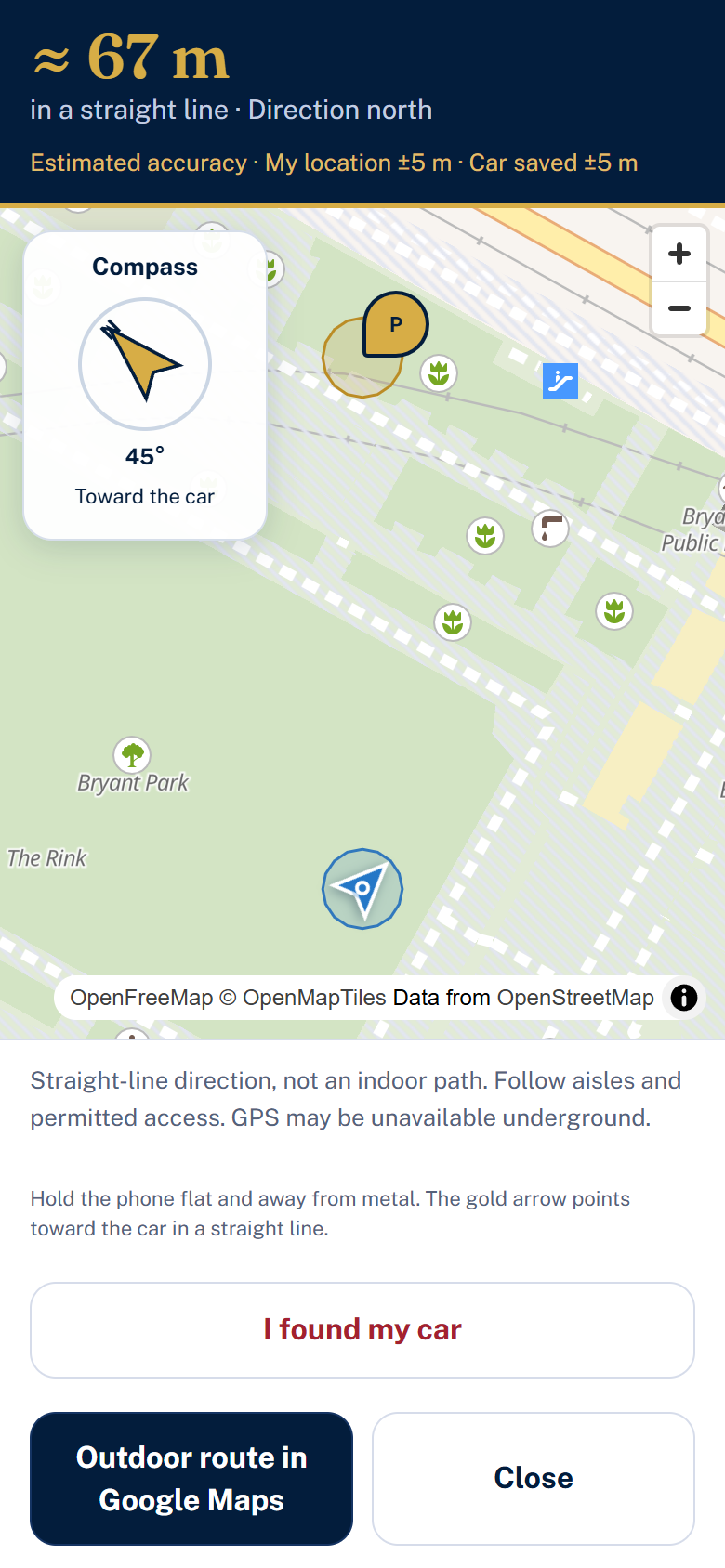
Sentinelle Parking: compass and estimated distance to the car
The compass indicates the direction and an estimated distance.

What the parking app saves for you

Sentinelle Parking is an app for finding your car. It does not replace your memory: it saves the details you forget when leaving the vehicle.

Your parking spot and floor

Save your parking location. Then add the floor and space number, if available.

When you return, the app shows the estimated distance and direction to your saved location. In a multi-storey parking garage, the floor number helps you find the right level.
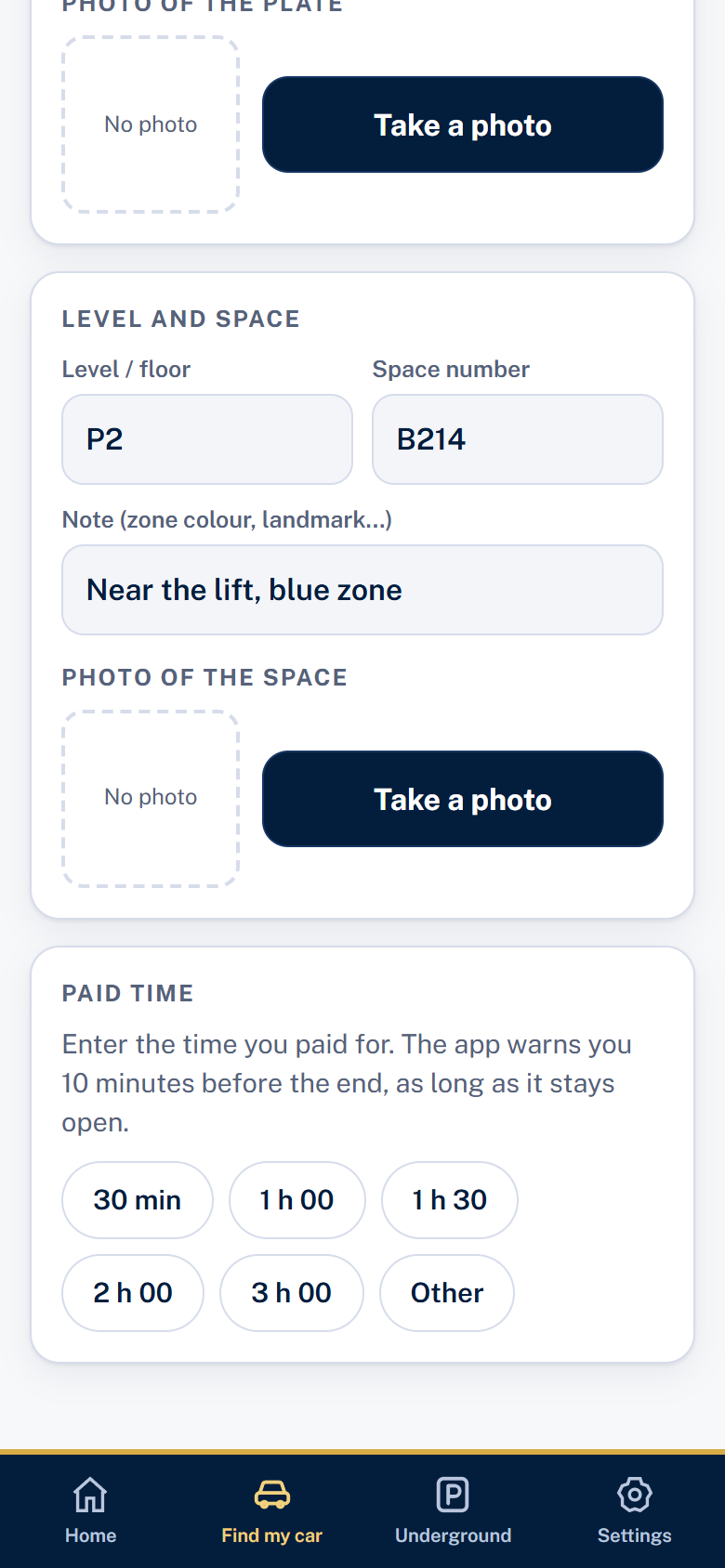
A photo of your parking spot

Take a photo before you walk away. The pillar, sign or row you photograph puts you back on track when the compass falters.

An image taken on arrival is better than a description written in the evening, once the memory is already fuzzy.

Floor P2, space B214 and a note near the elevator in Sentinelle Parking
Your floor, space number, photo and notes are saved together.

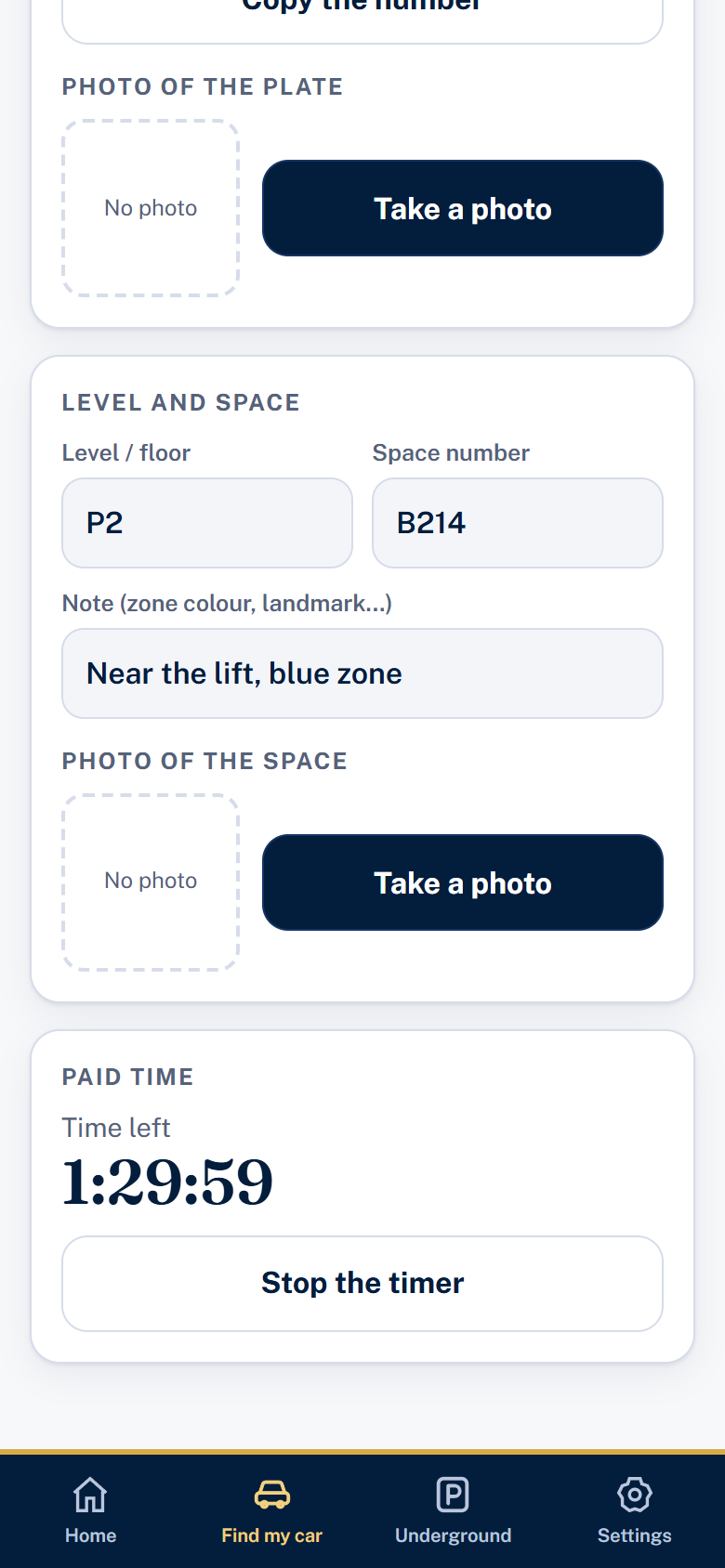
The parking timer

Set a parking timer and check the time remaining. Warnings require the app to stay open; a system notification is not guaranteed.

Parking timer displays remaining time
Check the time remaining while the app is open.

Everything stays on your phone

Locations, photos, notes and history are stored on the device. No account is necessary.

You can export your data and delete it from settings. Online maps, address search and directions are optional: if you activate them, the necessary information is transmitted to the map providers.

The interface is available in eight languages: French, English, German, Spanish, Italian, Portuguese, Danish and Dutch.

Underground parking, indoor parking, surface: find your car

Remembering your spot is hardest when floors look alike. Here is how to handle each situation without relying on an unavailable signal.

In an underground parking garage

GPS can be inaccurate or unavailable underground. That is why the app saves more than coordinates: a floor, a space number, a photo and a note.

Underground parking garages often have similar floors and aisles, with several exits. Save the floor, zone colour and a photo before leaving your car.

At a minimum, save:

  • the floor and zone colour;

  • the row number or color;

  • a fixed point nearby: elevator, door, staircase.

The compass shows a direction and an estimated distance. It does not know the aisles, obstacles or pedestrian access points. Always follow permitted routes.

Inside a parking garage, at a mall or at the airport

Inside a parking garage, save the colour-coded row, door number, elevator landing or airport terminal. Write down these landmarks while you are still there.

If your car stays at the airport for several days, the saved location and photo help you find the right area. Check the saved location before leaving.

Outdoors, on the street or in a parking lot

Outdoors, GPS is more often available and the compass works in better conditions. Still save a visible landmark: the side of the street, a sign or a tree.

ILLUSTRATIVE EXAMPLE · CANADA (CAD). You park on level P3 of an underground garage, in the blue row. When you return, the photo of the numbered pillar confirms the level, then the compass shows the direction. This example is fictional: it describes neither an observed parking situation nor a user’s result.

Find your car in four steps

Four steps, in order. The third takes a few seconds and can save a lengthy fifteen-minute search.

1. Save your parking spot

Once parked, save your location with the engine off, before walking away from your vehicle.

2. Add your landmarks

Floor, space number, photo or note: save the details you will need when you return.

3. Check your saved location

Check the saved location and photo on screen. Correcting a detail while you are there is easier than searching from the wrong floor.

4. Find your car

Open “Where is my car?” and use the compass to orient yourself. The distance shown is an estimate; check it against your saved landmarks.

Comparison

Best parked-car finder app 2026

Choose when to save your parking spot and keep the details you need when you return.

Best parked-car finder app 2026
  • Sentinelle Parking: ✓ When you choose; No Bluetooth or CarPlay required; Floor · space · photo · note; Save manually, even at familiar locations
  • Apple Maps: ↔ Automatic; When Bluetooth or CarPlay disconnects; Parked-car marker and directions; No automatic marker at home or work

Compared with Apple Maps’ automatic parked-car marker. GPS accuracy can decrease underground.

Checked on November 17, 2026 · Sources : Apple

A simple subscription

One monthly subscription. No tiers to compare.

  • 7-day trial for new eligible subscribers;

  • then, a monthly subscription automatically renewed ;

  • in Canada: CAD 2.99 per month.

Apple displays the applicable price and terms before you confirm. Do not assume any amount other than the one shown in the store.

View Sentinelle Parking on the App Store

Manage or cancel your subscription in your Apple account settings. Deleting the app does not cancel the subscription.

Your parking app questions, answered

Does the compass replace a route in the parking lot?

It shows the direction and an estimated distance to your saved location. It does not know the parking lot’s aisles, obstacles or pedestrian access points. Always follow permitted routes.

Does this work in an underground parking lot?

GPS can be inaccurate or unavailable underground. Save the floor, space number and a photo too, and check your saved location before leaving the car.

Does the app show available spaces in real time?

The catalogue helps you locate parking areas using OpenStreetMap data. It does not guarantee an available space, a price or current access. Check the information and signs on site.

Can I reserve or pay for my parking?

Sentinelle Parking helps you save your parking location and find your car. Parking reservations and parking payments are not offered.

Are my saved locations sent to a server?

Locations, photos, notes and history remain on your iPhone. No account is necessary. Online maps and address search are optional: if you activate them, the necessary information goes through the map providers.

How much does the parking app cost?

Seven-day trial for eligible new subscribers, then an automatically renewed monthly subscription. In Canada: 2.99 CAD per month. Price and applicable terms are displayed by Apple prior to confirmation.

Find your car the next time you park

Install Sentinelle Parking before your next stop. Save your spot, add a photo and let the app keep the landmark.

View Sentinelle Parking on the App Store

Sentinelle Parking is part of the same product family. For business documents and their expiry dates, SentinelleDocs keeps business documents together and sends reminders before they expire. Find the group’s other apps and software on the Groupe Sentinelle home page.

This page presents an iPhone app and its terms. The group’s other products have their own pages, with their features and prices.